
Turn Photo into Marvel Comics Style: Prompt
Prompt for transforming a regular photo into a Marvel comic style with bold outlines, dynamic shadows, and the signature superhero edition color palette.
Ready prompt
Convert the uploaded photo into a Marvel comic book illustration panel.

Style: Classic Marvel Comics art style, inspired by [artist_style] (e.g. Jack Kirby, Jim Lee, Alex Ross). Bold black ink outlines, dynamic hatching, Ben-Day dot shading pattern on mid-tones and shadows.

Character: Preserve the facial likeness and key features of the subject. Transform clothing into [costume_type] superhero or character costume if needed, or keep original outfit stylized as comic art.

Composition: [composition_type] shot - close-up / medium / full body. Dynamic pose with strong foreshortening if full body. Add motion lines or action energy effects if applicable.

Color palette: Vivid, saturated primary colors - deep reds, royal blues, bright yellows, stark blacks. Cel-shaded flat coloring with hard shadow edges, no gradients. Panel border: thick black frame with caption box at top reading "[caption_text]".

Background: [background_type] - cityscape skyline, abstract action burst, solid color with halftone dots, or dramatic sky.

Lighting: Strong directional rim lighting from above-left, high contrast between highlights and shadows.

Technical: Comic book print texture overlay, slight paper grain, CMYK color feel. Aspect ratio 2:3 (comic panel portrait). High detail, 4K resolution.

Negative prompts: photorealistic, blurry, watercolor, oil painting, 3D render, anime, manga, soft gradients, low contrast.
Fill in variables 5
Enter your values - the prompt will update automatically.
How to use
- Prepare the photo: Choose a clear photo with good lighting. Portraits or full-body shots with a neutral background work best.
- Fill in placeholders: Specify the Marvel artist style, type of costume, framing, caption text, and background type according to your task.
- Upload the photo and prompt: In Midjourney, use the /describe command or attach the image via /imagine with the prompt text. In Leonardo AI or Stable Diffusion, use Image-to-Image mode with denoising strength 0.65-0.75.
- Adjust settings: In Midjourney, add --style raw --ar 2:3 --stylize 750. In Stable Diffusion, choose the Comic Diffusion model or Marvel-specific LoRA.
- Iterate the result: If outlines are not bold enough, increase the weight of "bold ink outlines" and "Ben-Day dots". If colors are dull, add "highly saturated vivid colors".
- Final touch-up: Export the result and, if necessary, enhance contrast in Photoshop or Canva, and add the final retro print texture.
Example result
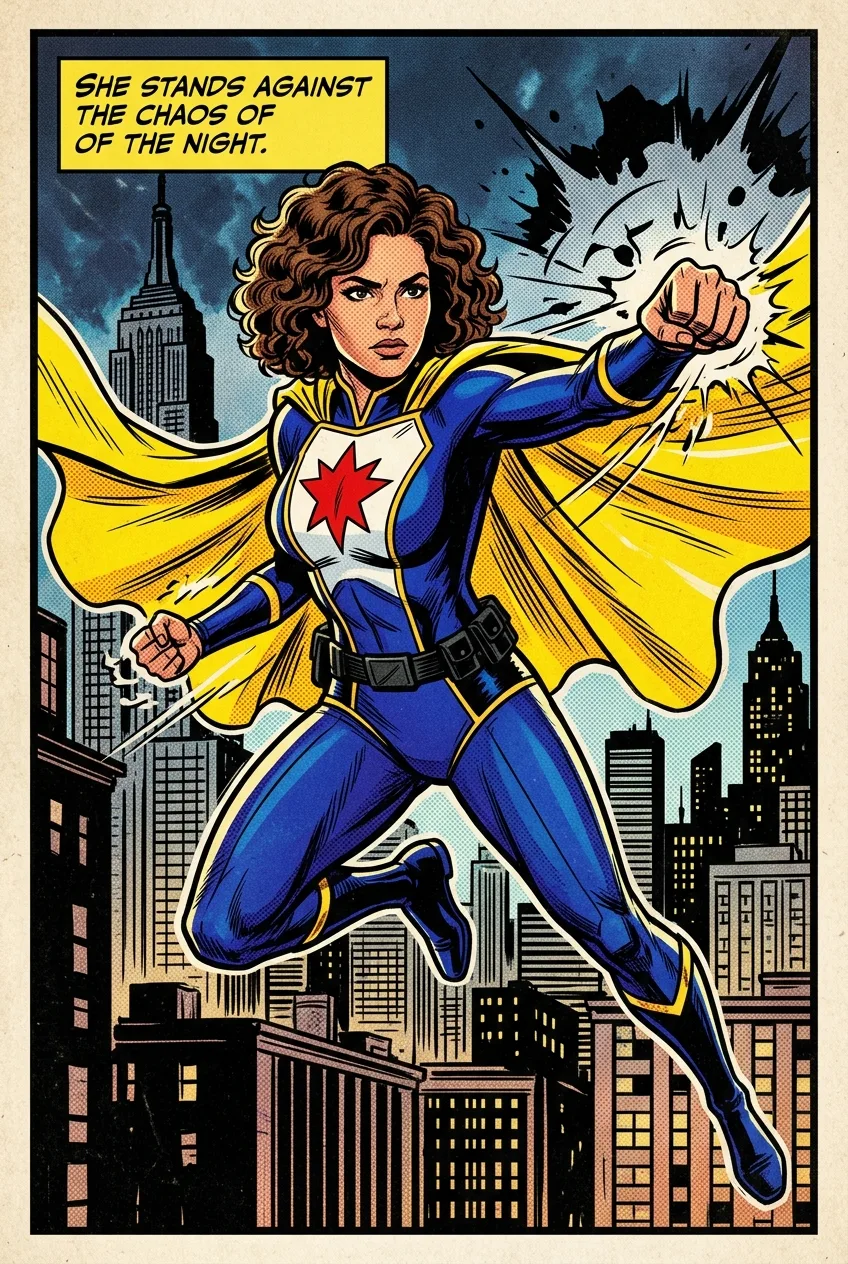
- Style
- Marvel Comics, Jim Lee era - bold black outlines, crosshatching, Ben-Day dots
- Composition
- Medium shot, three-quarter turn, dynamic torso tilt
- Color palette
- Rich blue, scarlet, black, bright yellow accent
- Background
- Night cityscape with searchlight beams and halftone pattern
- Neural Network
- Midjourney v6, Leonardo AI (Comic Diffusion), Stable Diffusion XL + Marvel LoRA
Using this prompt, the neural network transforms the portrait into a full comic panel: the face retains its likeness to the original, clothing is stylized into a superhero costume with studs and armor, the background is replaced by a dynamic cityscape. A black frame appears at the top of the panel with a caption box, and the entire image acquires the characteristic graininess of 1990s offset printing.
Tips and variations
- Model selection for the task: For maximum facial likeness, use Leonardo AI with the Face Lock function - it preserves facial features during stylization better than standard Midjourney.
- Enhancing the comic effect: Add "printed on newsprint, offset printing artifacts, CMYK misregistration" to the prompt - this will give it an authentic look of old Marvel editions from the 80s-90s.
- Controlling transformation strength: In Stable Diffusion, adjust the Denoising Strength parameter: 0.5-0.6 - soft stylization with pose retention, 0.75-0.85 - complete redraw in comic style.
- Dynamics and action: For full-body characters, add "speed lines, motion blur on fists, energy crackling around hands, dramatic foreshortening" - this will make the pose more heroic.
- Text elements: After generation, add speech bubbles and sound effects (POW!, CRASH!) manually via Canva or Adobe Express - AI struggles with precise text rendering inside an image.
Alternative AIs: Adobe Firefly (Style Reference + Comic Book preset), Bing Image Creator (free, understands "Marvel comic panel" well), Ideogram 2.0 - excels at rendering text within comic panels, ComicsMaker.ai - specialized tool for comics.