
Transforming a Cat Photo into a Cartoon Character
This prompt turns an ordinary cat photo into a vibrant cartoon character. Suitable for beginners - just upload a photo and get a cartoon-style illustration.
Ready prompt
Transform the uploaded cat photo into a cute cartoon character illustration.

Style: [cartoon style] (e.g. Disney Pixar, anime, classic cartoon, Studio Ghibli)
Color palette: bright, vivid, saturated colors
Character details: keep the cat's unique features (fur color, eye color, markings), exaggerate proportions - big expressive eyes, round fluffy body, small nose
Background: [background] (e.g. simple white background, cozy room, garden, magical forest)
Mood: [mood] (e.g. happy and playful, sleepy and cozy, curious and adventurous)

Requirements:
- Clean digital illustration style
- Soft outlines, smooth shading
- No photorealistic elements
- Child-friendly, friendly expression
- High detail on fur texture in cartoon style

Output: single character illustration, square format, high resolution.
Fill in variables 3
Enter your values - the prompt will update automatically.
Your prompt
How to use
- Take a clear photo of your cat in good lighting - preferably front-on or three-quarter view to capture all facial features.
- Open a neural network that supports image uploads: ChatGPT (GPT-4o), DALL-E 3, or an equivalent. Upload the cat photo.
- Copy the prompt and fill in the placeholders: choose the cartoon style, background, and character mood.
- Paste the filled-in prompt into the chat along with the photo and press send.
- If the result is not satisfactory - specify details: ask to make the eyes bigger, change the background color, or style. The neural network can easily make text-based adjustments.
Example result
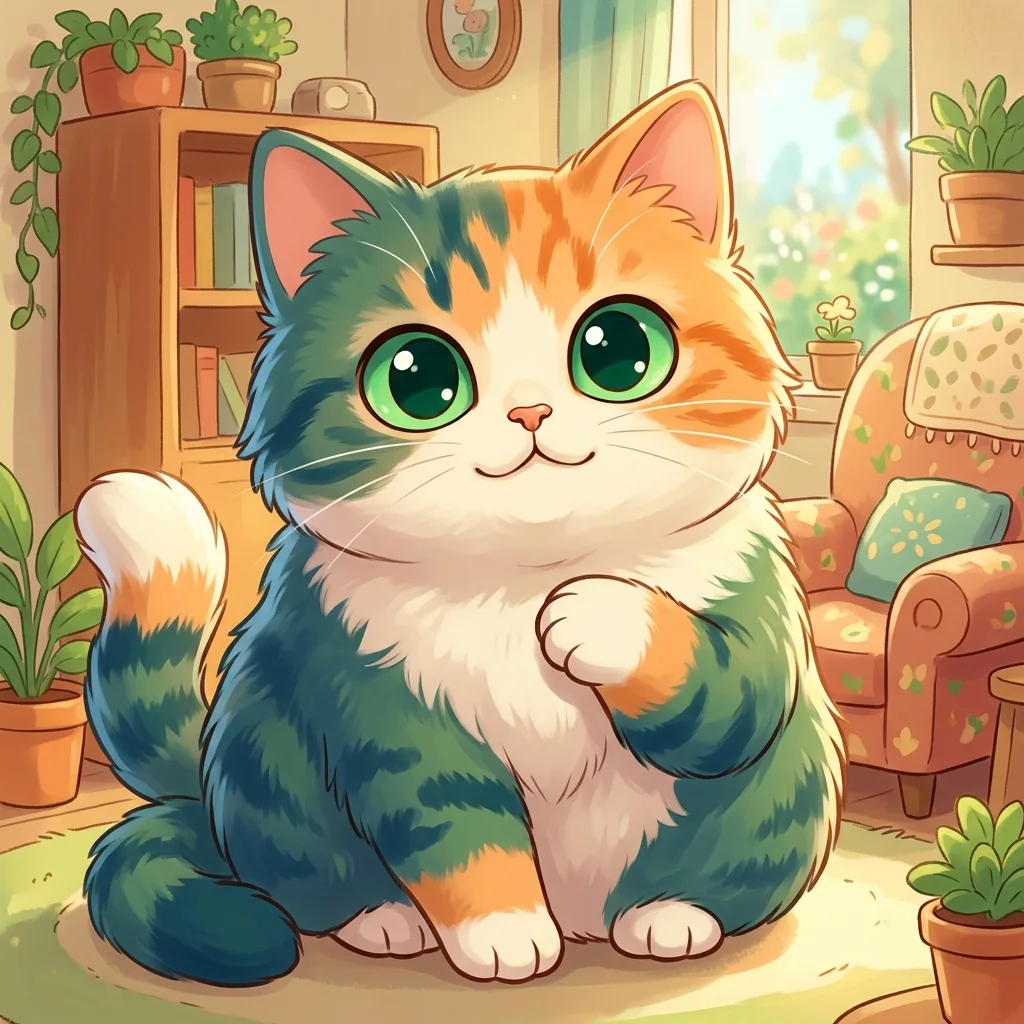
- Style
- Disney Pixar, bright digital illustration
- Composition
- Character centered, square format, cozy room background
- Color Palette
- Warm orange, white, and caramel tones, bright green eyes
- Neural Network
- ChatGPT (GPT-4o), DALL-E 3, FLUX
Using this prompt, the neural network creates a fluffy cartoon cat with enlarged expressive eyes and a round body, preserving the unique coat color and markings of the real pet. The character looks friendly and cute - like an animated movie hero.
Tips and variations
- Photo Quality: The clearer and brighter the original photo, the more accurately the neural network will convey the features of your cat. Avoid blurry or dark photos.
- Style Variation: Try different styles - anime offers soft pastel tones, Pixar adds volume and gloss, and classic cartoon provides a flatter, graphic look.
- Add Accessories: Add phrases like “wearing a tiny wizard hat” or “holding a fish” in the prompt - this will make the character more unique and amusing.
- Character Series: If you have multiple cats, use the prompt for each one separately, then ask the neural network to combine them into one group portrait.
Alternative Neural Networks: Adobe Firefly (Style Reference feature), Canva AI (Magic Edit), Fotor AI - all support photo uploads and cartoon-style conversion.