
Luma AI Dream Machine
- Plus - $29.99/month, Pro - $90/month, Ultra - $300/month
- Web + iOS + public API
- Ray3.14: native 1080p, 4× faster than predecessor
- Native 16-bit HDR + ACES2065-1 EXR export
- Multimodal access: Ray3, Veo 3.1, Kling 3.0 in one interface
Cinematic AI video for professionals
Luma AI Dream Machine is a platform for generating videos from text and images, launched on June 12, 2024, by Luma Labs. As of June 2026, it is the only publicly available service with a native 16-bit HDR pipeline and export to ACES2065-1 EXR - a standard adopted in Hollywood and professional post-production studios.
Key Features of Luma AI Dream Machine
- Text-to-Video via Ray3.14 - the latest model generates native 1080p four times faster than its predecessor at one-third the credit cost; realistic liquid, fabric, and collision physics.
- Image-to-Video (animating photos) - upload a static photo: product shot, illustration, or portrait - and the service animates it with cinematic motion, preserving the original composition.
- Ray3 Modify (Video-to-Video) - change backgrounds, costumes, and characters in existing footage, fully maintaining original acting, timing, and expressions; keyframe control of start and end frames is supported.
- Draft Mode - rough previews are 5 times cheaper than final renders; agencies test ideas, then "master" selected frames in Hi-Fi 4K HDR.
- Native HDR Pipeline - Ray3 exports video in 16-bit HDR and ACES2065-1 EXR for direct integration into DaVinci Resolve and Nuke; the world's first publicly available generative model with this standard.
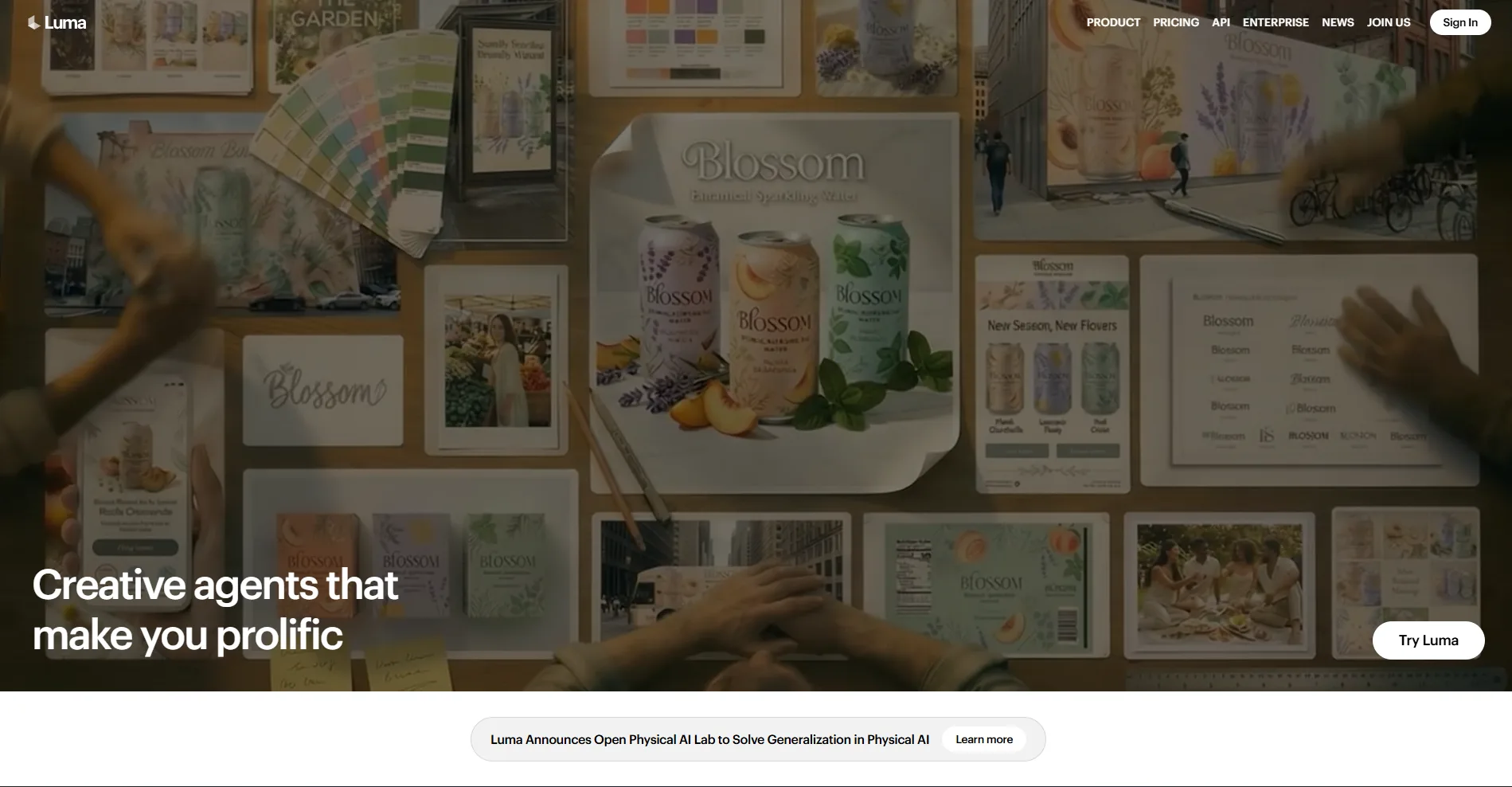
- Luma Agents - multimodal creative agents coordinate the full cycle: from brief document to final video, integrating Ray3, Photon, Google Veo 3.1, ElevenLabs, and DeepSeek into one workspace.
- Character Reference - one uploaded image locks the appearance, costume, and identity of a character throughout the clip; critically important for advertising campaigns with real actors.
Platform Pros and Cons
- Only public HDR + EXR export
- Draft Mode saves up to 80% of credits
- Ray3 Modify: change environment without re-shooting
- Multimodal interface: Veo 3.1, Kling 3.0, Ray3
- Integrations: Adobe Firefly, Amazon Bedrock
- 30M+ users, 100% uptime (Feb-Mar 2026)
- No audio generation (Kling does)
- Opaque credit system
- Maximum clip length 10-20 seconds
- Commercial rights only from $30/month
Luma AI Pricing and Plans in 2026
The platform operates on a credit system: cost depends on model, resolution, duration, and included options (HDR, EXR). App and API credits are separate wallets; annual subscription offers up to 20% discount.
- Ray3, Veo 3.1, Kling 3.0
- Native 1080p via Ray3.14
- Commercial content rights
- Videos without watermarks
- Guest collaborators
- 4× more Luma Agents vs Plus
- Priority generation queue
- All Plus features
- For daily workloads
- 15× more Luma Agents vs Plus
- Heavy post-production processes
- All Pro features
- Zero-retention (data doesn't train model)
- Custom model fine-tuning
- Corporate SLA and IP documentation
- Access via Amazon Bedrock
Luma AI vs. Competitors
Runway Gen-4 is considered more predictable in quality for client deadlines: fixed credit rates per second simplify budgeting. Dream Machine excels in HDR pipeline and multimodal orchestration via Agents - features absent in Runway.
Kling AI can generate native audio alongside video - a crucial advantage for end products without post-production. However, Luma wins in cinematic photorealism, professional editing tools, and HDR export for studio pipelines.
Google Veo 3 leads in prompt adherence accuracy, making it stronger for tasks where literal description reproduction is critical. Luma excels in Draft Mode for iterative production and EXR integration in professional NLE editors.
Use Cases
Who Luma AI is For
- Content Creators and Video Makers - quick B-roll, transitions, and visual concepts for YouTube and TikTok without shooting equipment.
- Advertising Agencies - prototyping video campaigns, testing visual directions, and producing content options via Luma Agents; partner with Publicis Groupe and Dentsu.
- Film Directors and VFX Specialists - pre-visualization, camera tests, and hybrid AI/live-action post-production with professional HDR export.
- Developers and Technical Teams - REST API supporting text-to-video, image-to-video, keyframe management, and watermark removal; availability via Amazon Bedrock.
- Brands and E-commerce - animating product photos for marketplace cards and lifestyle videos without physical shooting sessions.
How to Get Started with Dream Machine
-
1Sign Up - go to lumalabs.ai and create an account via Google or email; trial credits are automatically granted.
-
2Choose a Model - for initial tests, use Ray3.14 (balance of quality and speed) or Veo 3.1 for prompt adherence.
- 3Launch Draft Mode - input scene description, select Draft for preview (5 times cheaper), select the best version, and then render it in Hi-Fi 4K HDR.
-
4Upgrade to Plus - for commercial rights and videos without watermarks, the minimum plan is $29.99/month; for regular agency tasks, consider Pro at $90/month.
Frequently Asked Questions
Does Luma AI Dream Machine have a free plan?
There is no permanent free plan - new users receive trial credits upon registration. Commercial use and videos without watermarks are only available with the Plus plan ($29.99/month).
What is Ray3.14 and how does it differ from previous models?
Ray3.14 is the January 2026 update that brought native 1080p resolution, 4× faster generation, and 3× credit cost reduction compared to Ray3. It's the current main model of the platform.
Does Luma AI support audio generation?
No - the service generates only video without audio. For sound, use third-party tools: ElevenLabs is available via Luma Agents but not generated automatically with the clip.
Does Luma AI have a public API?
Yes - Luma API supports text-to-video, image-to-video, video extension, keyframe management, and watermark removal. Ray2 model is also available via Amazon Bedrock for corporate AWS clients.
Dream Machine combines a professional HDR pipeline, iterative Draft Mode, and a multimodal platform in one service - making it a strong choice for agencies and film professionals who need more than a basic AI generator. Try trial credits upon registration and experience Ray3.14 in action.