
SQLAI.ai
- 7-day trial - free, no card required
- Starter from $6/month - 200 AI queries
- 28 supported DBMS: SQL, NoSQL, analytical, graph
- Schemas up to 900+ tables without loss of accuracy
- Web platform only, no mobile apps
Write SQL in words - get a ready query in seconds
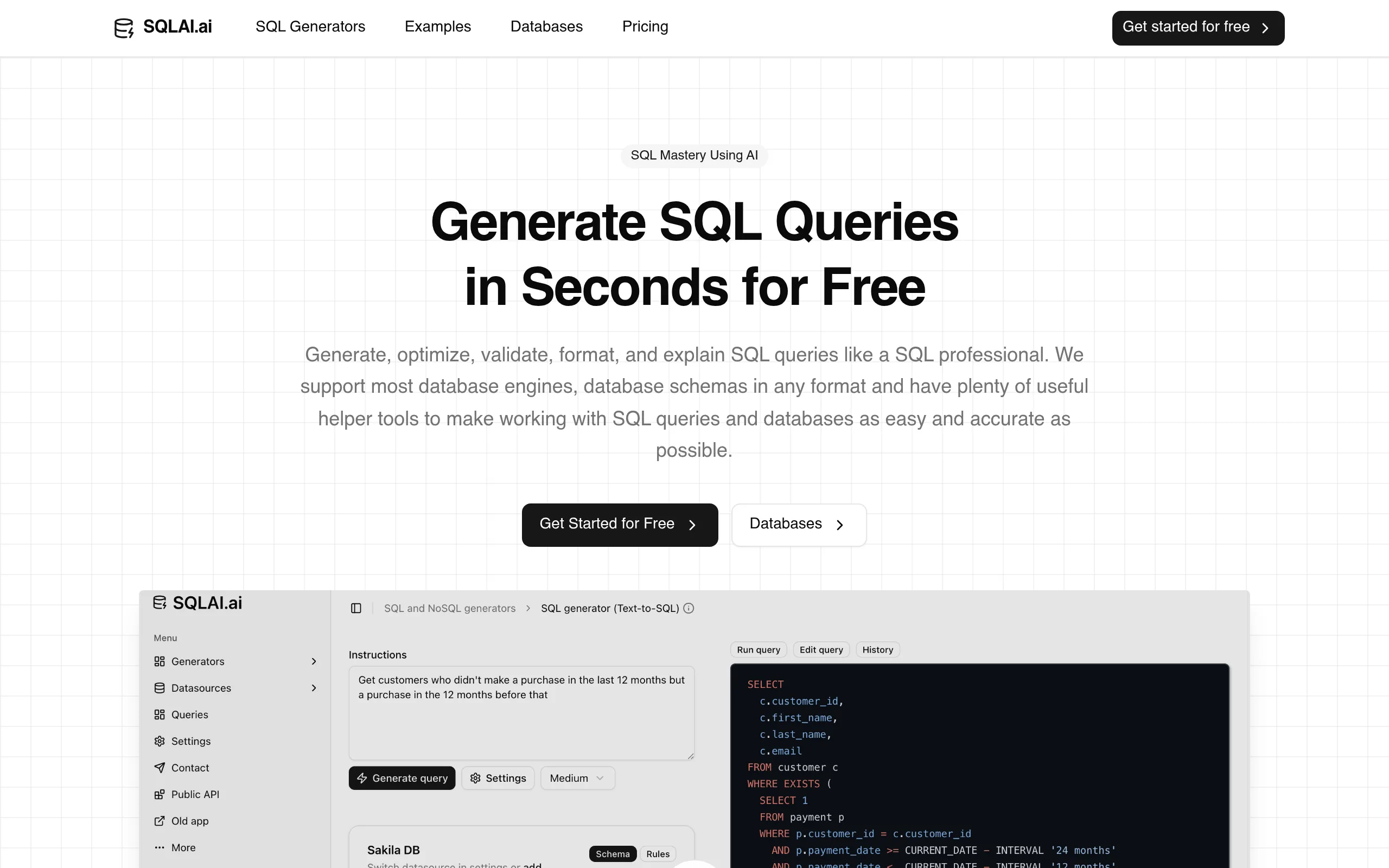
SQLAI.ai is a Berlin-based AI service (founded in 2022, previously known as AIHelperBot) that covers the complete query lifecycle: from generating queries based on natural language descriptions to optimizing, validating, migrating between DBMSs, and explaining each clause. It supports 28 database engines-more than most competitors in its class.
Key Features of SQLAI.ai
- Natural Language Generation - describe your task in words (“top 10 clients by revenue for the quarter”), and the platform instantly builds a correct query with JOIN, window functions, and aggregations for the connected DBMS.
- AI Query Optimization - analyzes existing SQL, rewrites inefficient constructs considering indexes, and shows a diff comparison of the original and optimized versions with an explanation of each change.
- Validation and Auto-correction of Errors - detects syntax errors and suggests corrections with explanations before deploying to production.
- Large Schema Support - works with databases with up to 900+ tables thanks to schema autoprompting; table and column name autocomplete is triggered by the “/” symbol.
- SQL Explanation in Human Language - breaks down complex queries by clauses with commentary on each part; useful for both learning and documentation.
- Dialect Migration - converts SQL from one dialect to another: Oracle → PostgreSQL, MySQL → Snowflake, and other directions, accelerating legacy code refactoring.
- Public REST API - serverless infrastructure with notification at 80% of quota; enables embedding SQL generation and optimization into custom applications and pipelines.
Pros and Cons
- 28 DBMSs - SQL, NoSQL, graph, analytics
- Schemas up to 900+ tables without loss of accuracy
- Full cycle: generation → optimization → migration
- Data does not leave customer infrastructure
- Starting price from $6/month
- Public API for integrations
- Free tier limit is reached quickly
- No built-in BI dashboards
- Web only - no desktop or mobile app
SQLAI.ai Pricing
- Full access to all features
- No card required
- Limited queries after trial
- 200 AI queries per month
- DB connection
- All 28 DBMS
- 1,000 AI queries per month
- Schemas with 600+ tables
- All features of Starter
- Team collaboration
- Shared data sources
- Priority support
Comparison with Alternatives
AI2SQL starts at $9/month and is more beginner-friendly, but does not support NoSQL or analytical engines-SQLAI wins in DBMS coverage and depth of functionality for complex tasks.
AskYourDatabase offers built-in dashboards and a chat with data but costs $23-49/month. The service wins on price and the number of supported databases, lagging only in BI capabilities.
DataGrip with AI Assistant ($35/month) is a professional IDE with execution plan analysis but requires a heavy application installation. SQLAI is a lightweight web tool available in the browser without setup.
Use Case Scenarios
Who SQLAI.ai is For
- Backend Developers - accelerate writing boilerplate queries and debugging complex JOINs without manual execution plan analysis.
- Data Analysts and BI Specialists - get aggregations and window functions from descriptions, saving time on routine SQL.
- Product Managers and Marketers - query data without knowing the syntax, reducing dependency on the dev team.
- DBAs and Database Architects - use for migrations between DBMSs, optimizing legacy code, and code review with diff viewing.
- Students and Beginner Developers - use the explanation feature as an interactive textbook with real examples.
Getting Started with SQLAI.ai
-
1Sign Up - go to sqlai.ai and create an account. No card needed: a 7-day trial opens all features immediately.
-
2Add a Data Source - import a schema in any format (AI recognizes it automatically) or connect to the DBMS directly via a connection string.
- 3Enter Your Task in Natural Language - use “/” for autocomplete of table and column names to increase generation accuracy.
-
4Check and Optimize - run validation and optimizer, review the diff, and save the query in “Saved Queries” for reuse.
Frequently Asked Questions
Is it safe to connect my database to SQLAI.ai?
Only the database schema (table and column names) is transferred to the platform’s servers-the data itself never leaves the user’s infrastructure.
What databases does the service support?
28 engines: relational (MySQL, PostgreSQL, Oracle, SQL Server, SQLite), analytical (BigQuery, Snowflake, Redshift, ClickHouse), NoSQL (MongoDB, DynamoDB), graph (Neo4j), and API layers (GraphQL, Salesforce SOQL).
Is there a free version available?
Yes: a 7-day trial with full access without a card, followed by a limited free tier. For regular use, a paid plan from $6/month is required.
Can I integrate SQLAI features into my own application?
Yes, the platform provides a public REST API on serverless infrastructure with scalable plans by request volume and notifications at 80% of the quota.
SQLAI.ai is one of the most comprehensive AI tools in the class of SQL generators: 28 DBMSs, support for schemas with up to 900+ tables, a complete cycle from generation to migration, and a transparent pricing policy from $6/month. If your work involves databases, try the 7-day trial without a card and see how fast you can write SQL with an AI assistant.