
Sourcetable
- Starter - $20/mo, Pro - $50/mo, Enterprise - price on request
- Web platform, no mobile app
- 100+ integrations: Shopify, HubSpot, Stripe, MySQL, Salesforce
- CSV, Excel, SQL, Python, API support
- Interface in English
AI Spreadsheets: Data Analysis without Formulas and Code
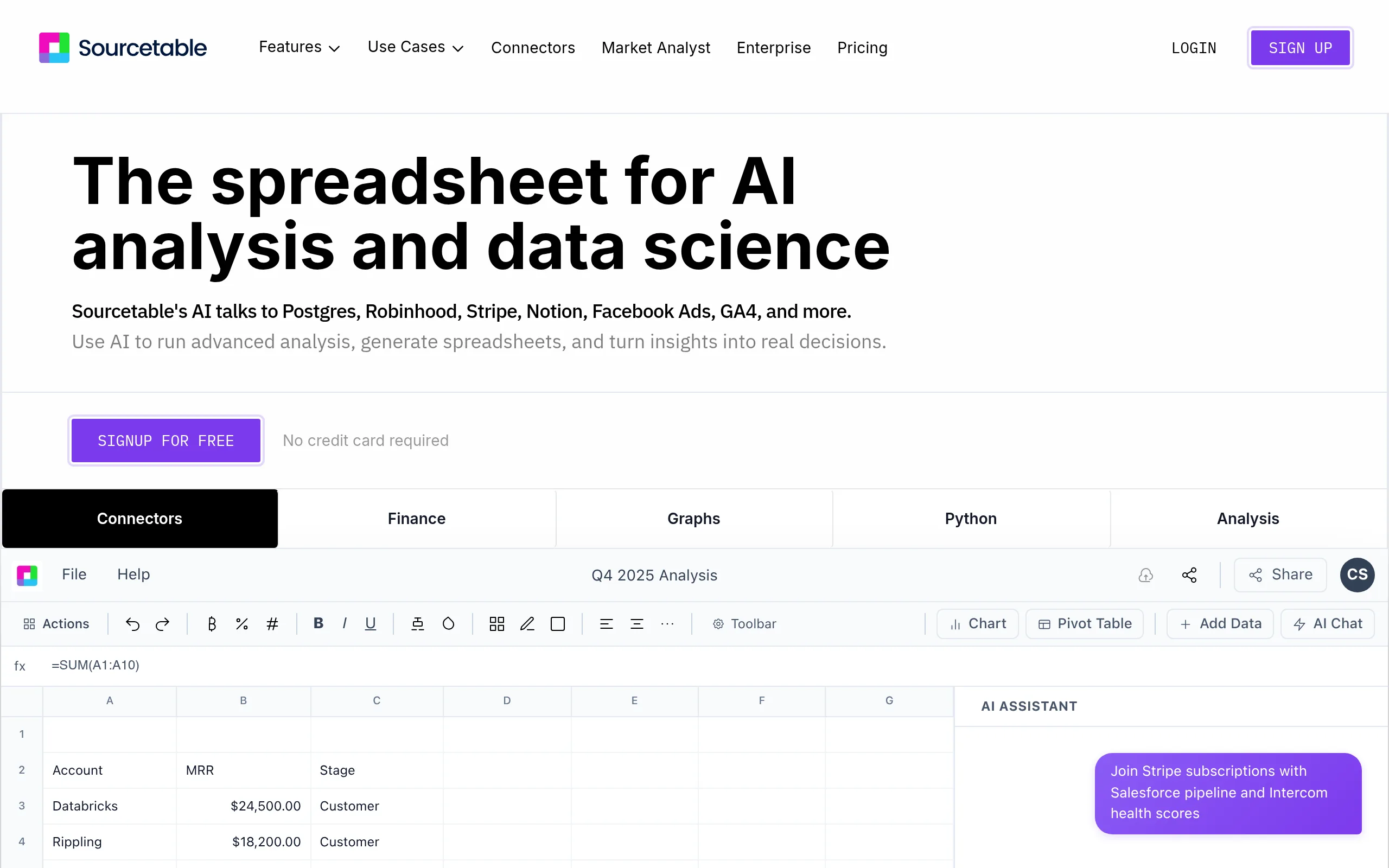
Sourcetable is an AI platform for data analysis that replaces manual work with Excel and Google Sheets: users describe tasks in natural language, and the AI builds formulas, generates SQL queries, cleans data, and creates visualizations. Designed for business analysts, business owners, and marketers who need data insights without programming or hiring analysts.
Key Features of Sourcetable
- AI Spreadsheet Assistant - answers queries about spreadsheets in natural language, writes formulas, and cleans data without manual operation.
- AI Formula Generator - generates SUM, VLOOKUP, INDEX/MATCH, COUNTIFS, and other formulas based on text descriptions; compatible with Excel and Google Sheets.
- SQL Generator - converts natural language queries into ready SQL queries; supports MySQL, PostgreSQL, and SQLite.
- AI Chart Generator - creates interactive bar, line, pie, scatter, and other types of charts based on selected data and task description.
- Bulk CSV Analysis - uploads and automatically analyzes large CSV files: AI identifies trends, anomalies, and key insights.
- AI Data Cleaning - automatically finds and fixes duplicates, empty fields, date format errors, and number formatting in datasets.
- Python and SQL in Browser - runs Python scripts and SQL queries directly in the spreadsheet interface without switching between tools.
Sourcetable: Pros and Cons
- Analysis without formulas and code
- 100+ ready integrations with business services
- Quick start without registration
- SQL and Python for experienced analysts
- Automatic dataset cleaning
- Free plan is very limited
- No English interface available
- BI tools are weaker than Tableau and Power BI
Sourcetable Pricing and Plans
- Basic AI spreadsheet analysis
- CSV and Excel uploads
- AI formulas and charts
- Limited number of integrations
- Unlimited file analysis
- SQL generator
- 100+ integrations and live data
- Python support
- Everything from Pro
- Dedicated support
- Corporate security
- Team access and custom integrations
Sourcetable vs Competitors: Key Differences
Julius AI focuses on conversational analysis through chat - without a full-feature spreadsheet environment, integrations, and dashboards. Sourcetable offers a comprehensive work environment: from file upload to live BI dashboard with auto data updates.
Microsoft Copilot for Excel works exclusively within the Microsoft 365 ecosystem, whereas Sourcetable is an independent platform capable of connecting to Shopify, HubSpot, Stripe, and dozens of other services without vendor lock-in. Rows.com offers spreadsheets with API integrations but places less emphasis on AI-generated insights and automatic data cleaning.
Sourcetable Use Cases
Who Benefits from Sourcetable
- Business Analysts and Finance Professionals - quick analysis of large Excel spreadsheets and databases without deep technical knowledge.
- SME Owners - insights from Shopify, HubSpot, and Quickbooks without hiring a separate analyst.
- Data Analyst / Data Scientist - accelerate routine: data cleaning, reports, and visualizations powered by AI.
- Marketers - analysis of advertising campaign KPIs and report building without IT department involvement.
How to Get Started with Sourcetable
-
1Try without registration - go to sourcetable.com and upload a CSV file for instant free analysis.
-
2Create an account - sign up to save results and access AI formulas and charts.
-
3Select a plan - Starter at $20/mo covers basic tasks; Pro at $50/mo unlocks SQL generator, Python, and 100+ integrations.
-
4Connect data sources - choose Shopify, HubSpot, MySQL, or another service from the integration catalog and set up auto data updates.
-
5Ask AI - write a task in English (“show top 10 products by revenue for March”), and Sourcetable will automatically build a table, formula, or chart.
Frequently Asked Questions about Sourcetable
Can Sourcetable be used for free?
Yes - upload one CSV file and get automatic analysis without registration. Paid subscription from $20/mo is required for regular use.
Does Sourcetable support SQL queries?
Yes, SQL Generator is included in the Pro plan ($50/mo) and supports MySQL, PostgreSQL, and SQLite - queries are generated by description in natural language.
How does Sourcetable differ from regular Excel?
Excel requires manual formula writing and cannot connect to live data from Shopify or HubSpot. Sourcetable generates formulas, builds dashboards, and updates data automatically without manual operations.
Is Sourcetable available in Russian?
No, the interface and AI assistant operate only in English - Russian localization is not available.
Conclusion: Is Sourcetable Worth Using?
Sourcetable addresses a real pain point for business users - data analysis without formulas, code, and dependency on IT specialists. If your team spends hours manually preparing reports from Excel, Shopify, or CRM, the platform is cost-effective from the first month of use. Visit sourcetable.com and upload a test file right now - without registration or credit card.