
Rows
- Free plan: up to 10 team members, 50 integrations
- Plus - $59/month, Pro - $199/month
- Platform: Web (browser only)
- 50+ integrations: Stripe, HubSpot, MySQL, Google Analytics
- 10+ AI formulas: AI_CATEGORIZE, AI_SENTIMENT, AI_EXTRACT
A spreadsheet that can analyze on its own
Rows is an AI-powered spreadsheet, created in 2018 under the name dashdash and renamed in 2021. The tool bridges the gap between Excel/Google Sheets and full-fledged BI platforms: you ask questions in natural language, and the built-in AI Analyst analyzes the data and provides insights without a single formula.
Key Features of Rows
- AI Analyst - ask questions like "Which product generates the highest revenue?" and get summaries, charts, and recommendations without formulas or code.
- AI Functions in Cells - 10+ special formulas: AI_CATEGORIZE, AI_EXTRACT, AI_TRANSFORM, AI_SENTIMENT classify text and analyze sentiment directly in the spreadsheet.
- 50+ Integrations - direct connection to Stripe, Salesforce, HubSpot, MySQL, PostgreSQL, Google Analytics, Shopify, Facebook Ads, GitHub, and other services with scheduled auto-updates.
- HTTP Requests from Cells - perform REST API calls directly in formulas: fetch exchange rates, stock data, or any external data without writing code.
- Publish Spreadsheets as Dashboards - any spreadsheet can be published as an interactive webpage or embedded in a site; data is updated in real-time.
- SQL and JavaScript Inside Spreadsheets - execute SQL queries on connected databases and use JavaScript scripts for complex operations without switching tools.
- Scheduled Automation - set up automatic data updates, report generation, and notification sending without developer involvement.
Pros and Cons of Rows
- AI Analyst understands natural language
- AI Functions in cells - unique vs Excel
- 50+ No-code integrations
- Publish live dashboards
- Generous free plan (up to 10 members)
- SQL and API directly in spreadsheets
- Pro plan is expensive for small teams ($199)
- AI Functions are billed per call
- Interface is unfamiliar after Excel/Sheets
- Web only, offline not available
- Weaker visualizations compared to Tableau/Power BI
Pricing and Plans for Rows
- Up to 10 team members
- Up to 50 integrations
- Basic AI Analyst
- Spreadsheet publishing
- Templates
- All Free features
- Advanced AI functions
- Priority data updates
- Extended API access
- All Plus features
- Unlimited members
- Enterprise integrations
- SLA and support
- Custom domains
Rows vs Competitors
Compared to Google Sheets, Rows excels in automation and AI functions in cells: native AI_CATEGORIZE or AI_SENTIMENT are not present in Google Sheets, even with Workspace AI. However, Google Sheets is free without restrictions and more familiar to most users.
Airtable focuses on databases and project management, whereas Rows is centered on analytics and integration with external sources. Airtable offers a stronger relational data model, Rows shines in AI analytics and dashboard publishing.
Sourcetable is a close competitor with a similar concept of AI table analysis, but Rows offers a richer ecosystem of integrations and the ability to publish tables as live web pages, which Sourcetable lacks. Retool requires technical skills for creating internal tools, Rows is accessible to business users without coding.
Use Cases for Rows
Who is Rows for?
- Data Analysts - automate data collection from 50+ sources without writing pipelines.
- Marketers - live reports on Google Analytics, Facebook Ads, and Stripe in one table.
- Operations Managers - auto-fetch data from CRM, HRIS, and finance systems without a developer.
- Startup Teams - rapid dashboard creation for investors, publish as web pages.
- Data Journalists - collect data via API, analyze, and publish interactive tables for audiences.
How to Get Started with Rows
-
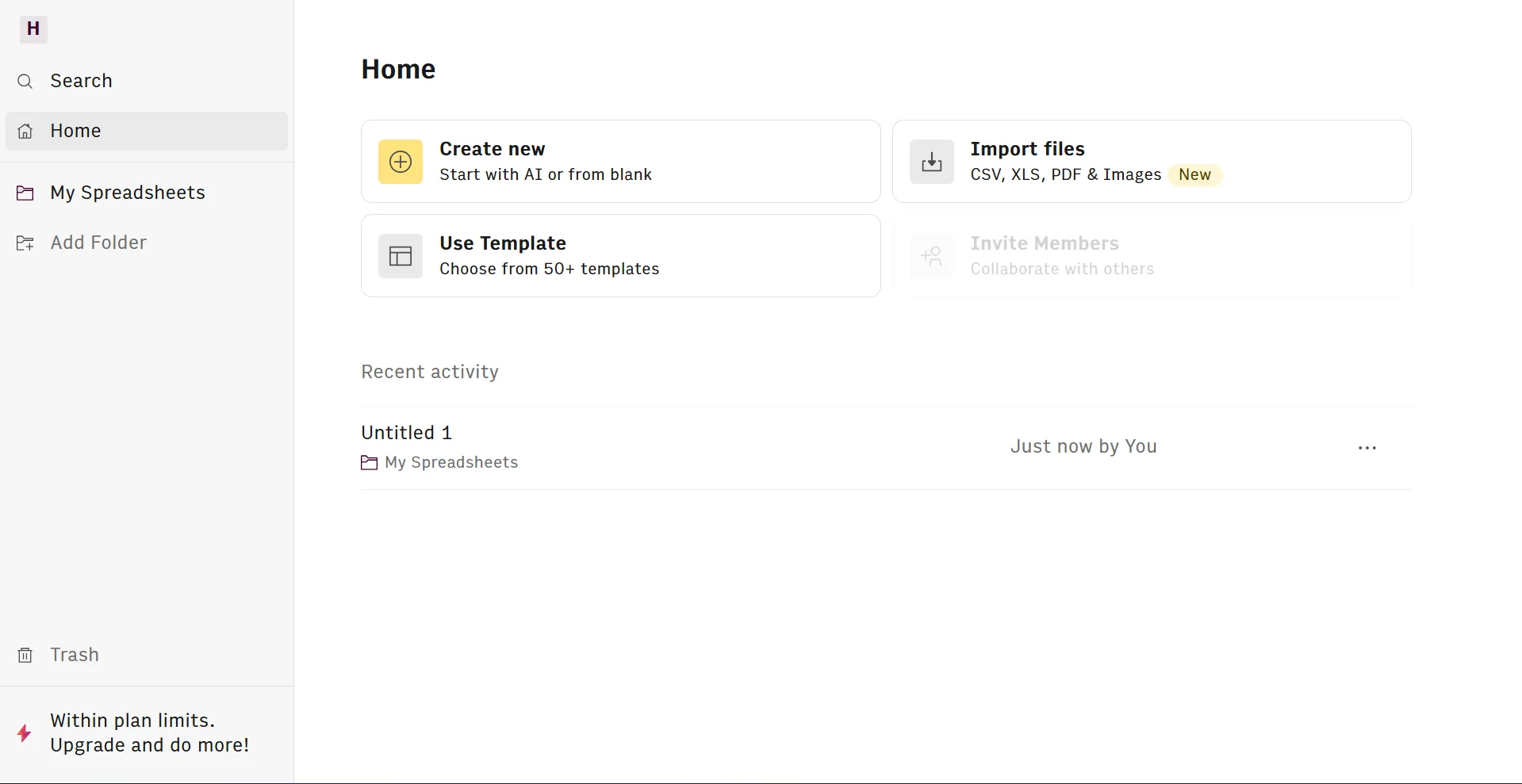
1Create an Account - go to rows.com and register for free, no credit card required.
-
2Select a Template - open the template library and choose a suitable one: financial report, CRM, SEO dashboard, or competitor monitoring.
-
3Connect a Data Source - add integration with Stripe, Google Analytics, MySQL, or any other service from the list of 50+ connectors.
-
4Ask AI Analyst a Question - write a question in natural language in the AI Analyst field and receive an automatic summary, chart, and recommendations.
-
5Publish the Dashboard - press "Publish" to create a live webpage or copy the embed code to insert on a site.
FAQs about Rows
Is Rows Free?
Yes, the free plan is available indefinitely without entering a card: up to 10 team members, up to 50 integrations, and basic AI Analyst. Paid plans start at $59/month.
How is Rows different from Google Sheets?
Rows has native AI functions in cells (AI_CATEGORIZE, AI_SENTIMENT), a built-in AI Analyst for natural language questions, and 50+ integrations with auto-updating - none of this is present in Google Sheets even with Workspace AI.
How do AI functions AI_CATEGORIZE and AI_SENTIMENT work?
These are special formulas that are invoked directly in spreadsheet cells: AI_CATEGORIZE classifies text according to specified categories, AI_SENTIMENT determines sentiment (positive/neutral/negative). Each call is billed separately.
Can MySQL or PostgreSQL be connected to Rows?
Yes, Rows supports direct connection to MySQL and PostgreSQL: after setting up the connector you can execute SQL queries directly within the spreadsheet and set up automatic data updates on schedule.
Rows is a mature tool for teams who find Google Sheets limiting but don’t need a full BI platform. The free plan allows you to evaluate key features risk-free, while the integrated AI Analyst makes data analysis accessible for any team member without a technical background.