
Animated Intro for a YouTube Technology Channel
Prompt to create an animated intro for a technology YouTube channel. Suitable for beginners - get a dynamic intro video in minutes.
Ready prompt
Create a short animated intro for a YouTube technology channel.

Channel name: [channel name]
Tagline: [channel tagline]
Duration: [duration, e.g., 5 seconds]
Color scheme: [color scheme, e.g., blue and black, neon green and dark]
Visual style: [style, e.g., futuristic, minimalist, cyberpunk]

Animation requirements:
- Start with a dark background with floating circuit board patterns or digital particles
- Channel name appears in the center with a glowing light effect
- Tagline fades in below the name
- End with a logo pulse or zoom-out effect
- Smooth transitions throughout

Technical specs:
- Aspect ratio: 16:9
- Resolution: 1080p or higher
- Style: cinematic, high-tech, modern
- Lighting: neon glow, lens flare accents
- Camera: slow zoom in, subtle rotation

Mood: energetic, professional, cutting-edge technology feel
Fill in variables 5
Enter your values - the prompt will update automatically.
How to use
- Copy the prompt and paste it into your chosen AI video generation tool (Runway Gen-3, Kling, Sora, Grok or similar).
- Fill in all placeholders in square brackets: specify the channel name, tagline, duration, colors, and style.
- Start generation. If the tool supports resolution and aspect ratio settings, manually set to 16:9 and 1080p.
- Assess the result: if the intro is too dark or the animation is dull, add "bright neon glow, fast dynamic transitions" to the prompt and regenerate.
- Download the final clip and add sound if needed using a video editor (CapCut, DaVinci Resolve).
Example result
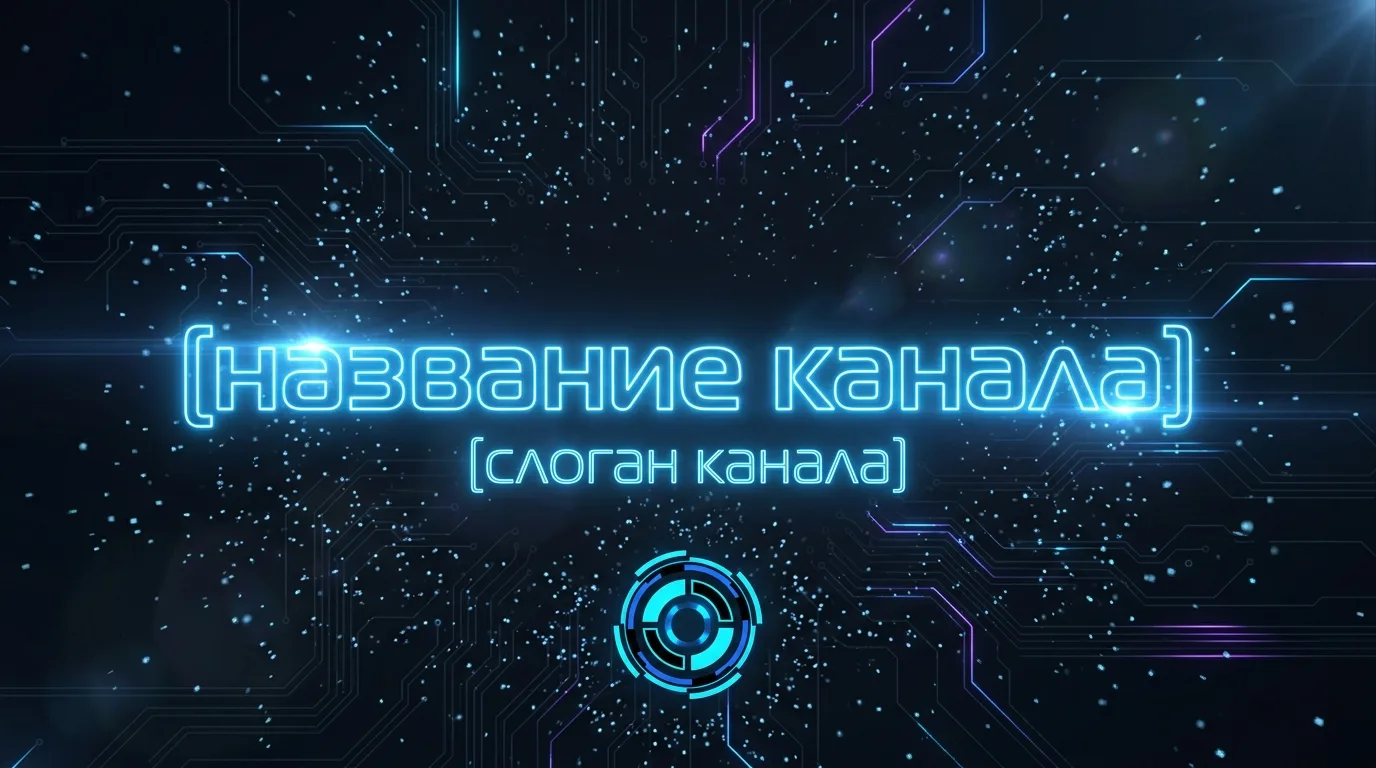
- Duration
- 5 seconds
- Camera movement
- Slow zoom to center + subtle rotation of particle background
- Style
- Futuristic, cinematic, neon glow
- AI Tool
- Runway Gen-3, Kling, Sora
The video begins with a dark background featuring animated circuit board patterns and flying digital particles. The channel name appears in the center with a glowing effect - letters show up one by one. Below, the tagline smoothly appears with a soft fade-in. The finale - logo pulsation and a gentle zoom-out, leaving the name on a dark background with a neon glow.
Tips and variations
- Enhance Dynamics: Add "fast-paced glitch transition, electric spark effects" to the prompt to make the intro more energetic and suitable for tech themes.
- Brand Colors: If your channel already has a signature palette, be sure to specify HEX codes or the most precise color names (e.g., "electric blue #0066FF and black").
- Sound: Most AI video tools generate intros without sound. Add a whoosh or electronic sting in CapCut or Adobe Premiere to greatly boost the video's professionalism.
- Iterations: Generate 3-5 variants with slight style changes (cyberpunk → minimalist → corporate) and select the best through editing.
Alternative AI tools: Runway Gen-3 Alpha is the best choice for short cinematic intros. Kling 1.6 handles logo animation excellently. Sora is suitable for complex particle scenes. Hailuo (MiniMax) is a free alternative for testing concepts.