
Akiflow
- Pro Monthly - $34/month, Pro Annual - $19/month, Believer - $14.90/month
- 7-day free trial (card required)
- Web, macOS, Windows, iOS, Android
- 30+ native integrations + 3000+ via Zapier
- Launched in 2020, YC S20, $1.93M funding
One inbox. One calendar. One AI assistant.
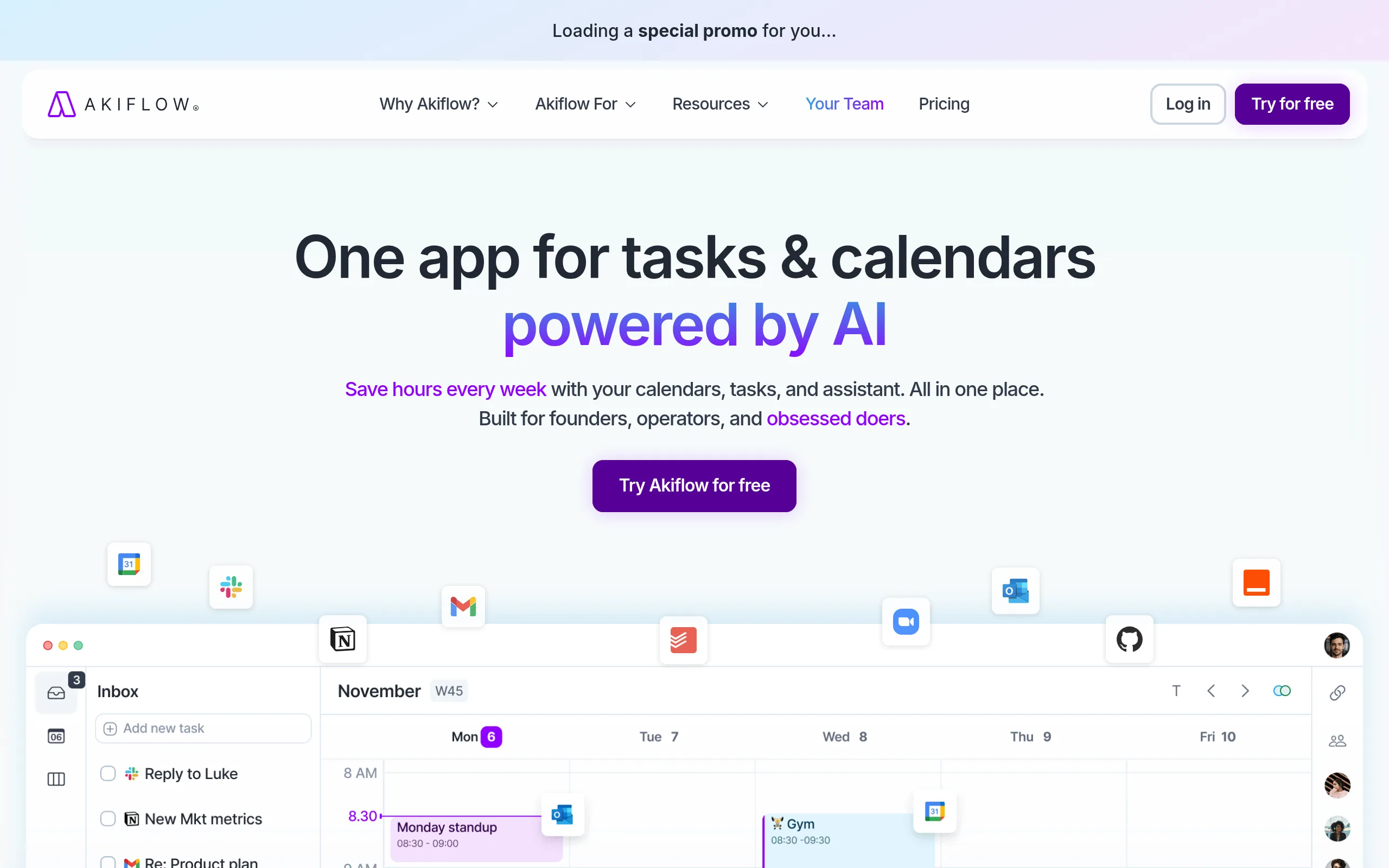
Akiflow is an AI scheduler for professionals tired of switching between Gmail, Slack, Jira, and Asana. The service automatically collects tasks from all connected tools into a unified list, and the built-in AI assistant Aki helps prioritize and allocate them into time blocks in the calendar.
Key Features of Akiflow
- Universal Inbox - automatically gathers tasks from Gmail, Slack, Asana, Notion, Trello, ClickUp, Jira, Linear, GitHub, and 20+ other apps into a unified list.
- Time-blocking with Drag & Drop - tasks from the inbox are moved directly to Google Calendar or Outlook slots with two-way sync, without copy-paste.
- Aki AI Assistant - creates, edits, and prioritizes tasks through text or voice chat, suggesting optimal slots based on deadlines and workload.
- Aki Meeting Assistant - connects to Zoom, Google Meet, and Teams, records calls, transcribes with speaker tags, and generates summaries + draft follow-up emails.
- Command Bar and Hotkeys - complete task management from the keyboard without a mouse; especially valued by developers and power users.
- Daily Rituals - morning session prioritizes the day's tasks, evening (“Daily Shutdown”) transfers unfinished tasks and creates a plan for tomorrow.
- Availability Sharing - select free slots and send a link to a colleague or client in seconds, without email threads.
Pros and Cons
- Best inbox on the market - 30+ apps
- Two-way sync with Google Calendar and Outlook
- Fast command bar without a mouse
- Excellent support and onboarding
- Active product: major updates in 2025-2026
- One plan - all features without limits
- No free plan, card required
- $34/month - more expensive than Sunsama ($20) and Morgen ($15)
- Manual time-blocking - no auto-scheduling like in Motion
- Task status not always synchronized back to Asana
Akiflow Pricing
- Unlimited tasks and integrations
- Full access to Aki AI Assistant
- 7-day free trial
- Meeting Assistant - paid add-on ($19/month)
- 44% savings vs monthly plan
- 1:1 onboarding call with the team
- Saves ~$180 annually
- All Pro Monthly features
- Paid every 2 years
- Priority support
- Early access to new features
- AI productivity coaching
Akiflow vs Competitors
The main competitor, Motion, excels in automatic scheduling: its algorithm assigns tasks to slots based on deadlines. Akiflow requires manual time-blocking, but offers full schedule control and 2-3 times more integrations.
Sunsama costs $20/month and is aimed at slow, reflective planning with journaling. Akiflow is faster, more aggressive in functionality, and better suited for those working with 5+ tools simultaneously.
Todoist is only $4/month and easy to use but lacks built-in time-blocking and does not automatically pull tasks from Jira or GitHub. For users who just need a to-do list, Todoist suffices.
Akiflow Use Cases
Who is Akiflow for
- Operations Managers and Executives - a single point of control over meetings, tasks from 5+ tools, and team schedules.
- Developers and DevOps Engineers - command bar and hotkeys plus automatic task import from Jira, Linear, and GitHub.
- Freelancers with Multiple Clients - structured time-blocking and availability sharing without switching between apps.
- People with ADHD or "Digital Chaos" - a clear system of morning and evening rituals, AI auto-tagging, and a unified task list without omissions.
How to Get Started with Akiflow
-
1Sign up - go to akiflow.com, enter your email, and link your card to activate the 7-day trial.
-
2Connect apps - in the integrations section, add Gmail, Google Calendar, and at least one task tracker (Asana, Jira, Trello). Tasks will appear in the inbox automatically.
-
3Schedule an onboarding call - this extends the trial to 14 days and provides personal setup for your workflow.
-
4Conduct your first morning session - open the inbox, prioritize, and drag 3-5 key tasks into today's calendar slots.
-
5Install the mobile app - on iOS, set up the lock screen widget and Siri integration for voice task addition on the go.
Frequently Asked Questions about Akiflow
Is there a free version of Akiflow?
There is no permanent free plan. A 7-day trial is available with a card link; scheduling an onboarding call extends the trial to 14 days.
How does Akiflow differ from Motion?
Motion automatically assigns tasks to slots based on deadlines, while Akiflow requires manual time-blocking. However, Akiflow offers significantly more integrations and a better-developed universal inbox.
What can Aki AI Assistant do?
Aki accepts commands by voice and text, creates and edits tasks, suggests optimal time slots, and in Meeting Assistant mode - transcribes calls in Zoom, Google Meet, and Teams and forms a list of action item tasks.
Is Akiflow suitable for team work?
The platform is oriented towards personal productivity, not team project management. It complements Notion, Jira, or Asana well, but does not replace them.
Akiflow addresses the real pain of professionals with "digital chaos": instead of five open tabs - one inbox, one calendar, and an AI assistant who knows your schedule. When using 5+ integrations actively and daily time-blocking, the $19/month annual plan pays off in the first week.