
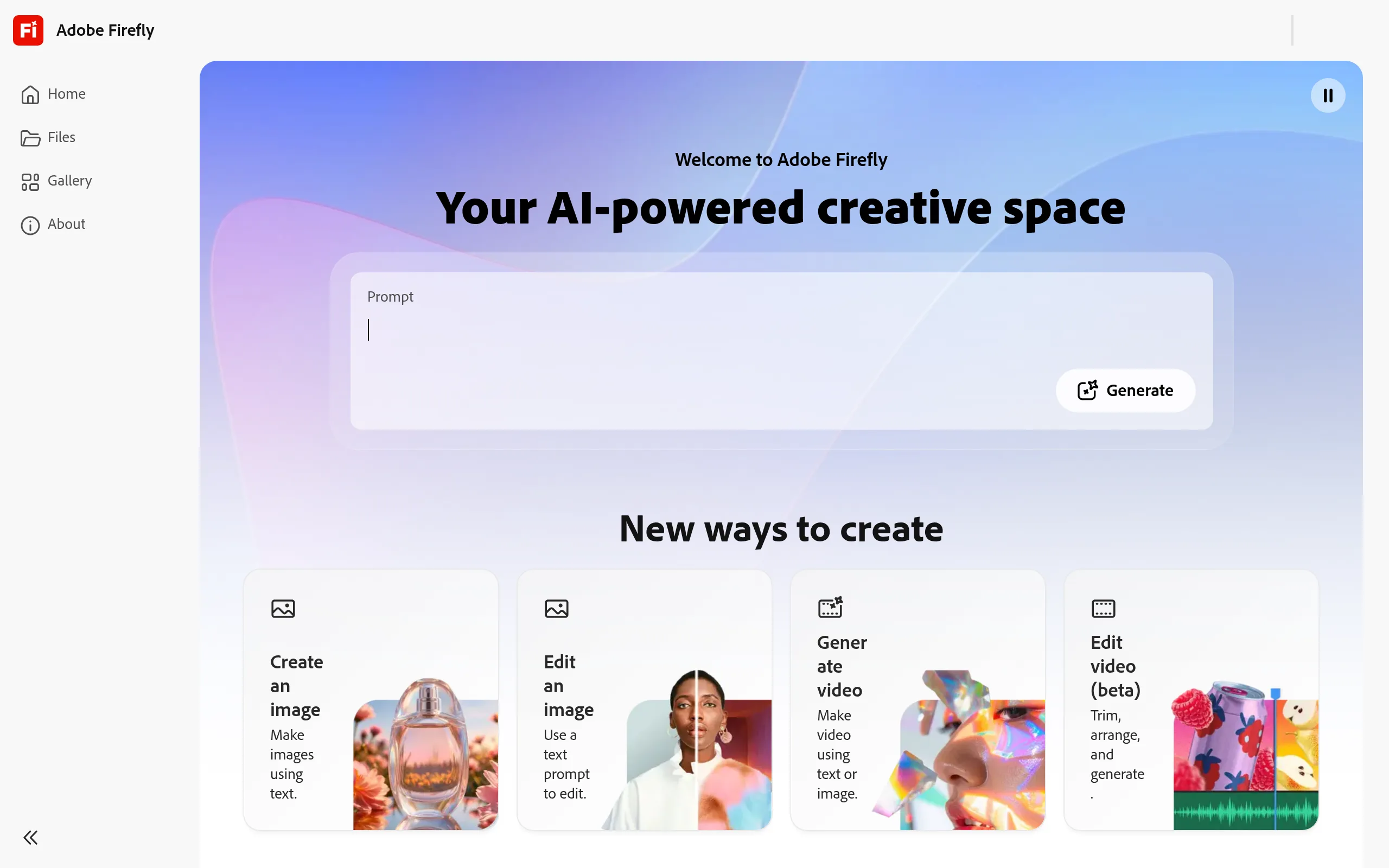
Adobe Firefly
- Free: 25 credits/month - Standard from $9.99/month
- Web, iOS, Android, API (Enterprise)
- 30+ partner models: Google, OpenAI, Runway, FLUX
- Native SVG output - the only major AI generator
- Commercial safety + Content Credentials
AI-studio for commercially safe creativity
Adobe Firefly is a multimodal AI studio from Adobe Inc., launched in 2023, which combines image, vector, video, and audio generation in one interface. The key difference from competitors is that all models are trained exclusively on licensed Adobe Stock materials, ensuring a legally clean commercial result for agencies and brands.
Key Features of Adobe Firefly
- Text to Image (Model 4 Ultra) - photorealistic images up to 2K optimized for portraits, animals, and architecture; precise detail rendering at the photographic level.
- Text to Vector (SVG output) - the only major AI generator producing editable SVG files, icons, and patterns which open immediately in Adobe Illustrator at the node level.
- Generative Fill and Generative Expand - built-in Photoshop tools for object removal and expanding the frame in any direction with seamless contextual filling.
- Text to Video / Image to Video - clip generation up to 4K from prompts or images; since December 2025, Runway Gen-4.5 model is available directly in the interface and Premiere Pro.
- 30+ Partner Models - Google Veo, Imagen, OpenAI GPT Image, Runway Gen-4, Black Forest Labs FLUX, Luma AI, Ideogram, Pika, ElevenLabs - all in one interface without separate subscriptions.
- Firefly Custom Models - training your model on corporate images for content generation in a consistent brand style; public beta launched in March 2026.
- Firefly Boards - an AI board for team moodboarding with image and video generation on an infinite canvas in real-time.
Pros and Cons
- Commercial safety + Adobe legal protection
- Native SVG output - unique in the market
- 9+ Adobe apps with integrated AI
- 30+ top models with no extra subscriptions
- $9.99/month - ~$0.005 per image
- Inferior to Midjourney in artistic stylization
- Confusing credit system with fast consumption
- Weak text rendering inside images
- Less valuable without Creative Cloud subscription
Adobe Firefly Pricing
- 25 generative credits per month
- Text to Image, Text Effects
- Content Credentials on all images
- Web app only
- 2,000 premium credits per month
- Unlimited standard generations
- ~20 video clips of 5 seconds
- Access to partner models
- 4,000 premium credits per month
- ~40 clips of 5 seconds
- Adobe Express Premium + Photoshop
- Firefly Boards for teams
- 10,000 premium credits per month
- ~100 clips of 5 seconds
- Extended partner models
- Adobe Express Premium + Photoshop
- 50,000 premium credits per month
- ~500 clips or ~166 mins of video translation
- Unlimited video generation (Firefly Video)
- For high-volume studios and agencies
Comparison with Alternatives
The main competitor in the artistic segment - Midjourney - significantly outpaces Firefly in stylization and cinematic quality but offers neither a free plan nor legal protection for commercial clients, nor SVG export, nor integration into professional applications. For art direction, Midjourney remains the preferred choice, while Firefly is for workflows within the Adobe ecosystem.
DALL·E 3 from OpenAI surpasses the platform in prompt accuracy and text rendering in images, yet it lacks SVG output, is not integrated into Photoshop and Illustrator, and is less convenient for team design processes. Canva AI is cheaper ($13/month in Pro) and easier to master but falls short in professional generation quality and lacks vector output.
Use Cases
Who Adobe Firefly Is For
- Designers and Art Directors - get AI directly in Photoshop and Illustrator: retouching, background expansion, icons, and vectors without changing apps.
- Marketing Agencies - commercial safety and Custom Models for large-scale branded content creation for clients.
- Content Creators and SMM - rapid image and banner generation for social media through iOS/Android mobile app without design skills.
- Video Producers - B-roll, video translation, integration with Premiere Pro and After Effects for post-production teams.
- Freelancers and Small Businesses - Standard plan for $9.99 replaces an in-house designer for small teams with unlimited standard generations.
How to Get Started with Adobe Firefly
-
1Create an Adobe ID - go to firefly.adobe.com and register for free. No card required, 25 credits are awarded immediately.
-
2Select a Generation Mode - Text to Image for photos, Text to Vector for SVG, or Video for clips. Switch between 30+ partner models directly in the interface.
-
3Set Style and Parameters - specify aspect ratio, lighting style, and color palette. For brand projects, activate Custom Models (beta) by uploading your references.
-
4Export and Edit - send results directly to Photoshop, Illustrator, or Premiere Pro with one click. SVG vectors are ready for node-level editing immediately.
-
5Scale Subscription as Needed - annual payments offer ~18% discount. Creative Cloud subscribers already receive 500-1,000 credits per month at no extra cost.
Frequently Asked Questions
Is it safe to use Adobe Firefly in commercial projects?
Yes - all models are trained exclusively on licensed images from Adobe Stock and public domain content. Adobe provides legal protection for users, and each image automatically receives Content Credentials with source information.
How does Firefly differ from Midjourney?
Midjourney excels in artistic stylization but lacks a free plan, commercial safety guarantee, SVG output, and integration with professional applications. Firefly wins for workflows within the Adobe ecosystem and commercial commissioned projects.
How do credits work and how much does video generation consume?
Standard functions (Generative Fill, Text to Image, vectors) do not consume credits on paid plans-only premium mode and video. One 5-second video clip costs ~100 premium credits; credits reset monthly and do not carry over.
Can one use the service without a Creative Cloud subscription?
Yes, Firefly plans (Standard, Pro, Pro Plus, Premium) are sold separately from Creative Cloud and include a web app and mobile app. However, desktop applications Photoshop and Illustrator are only included in Pro plans and above or require a separate CC subscription.
Over three years, the platform has evolved from an image generation tool to a full AI studio with 30+ models, video production, and collaborative boards. For designers, marketers, and production teams within the Adobe ecosystem, it is the most organic and legally protected way to integrate generative AI into the daily workflow-start with a free plan and explore the possibilities yourself.