
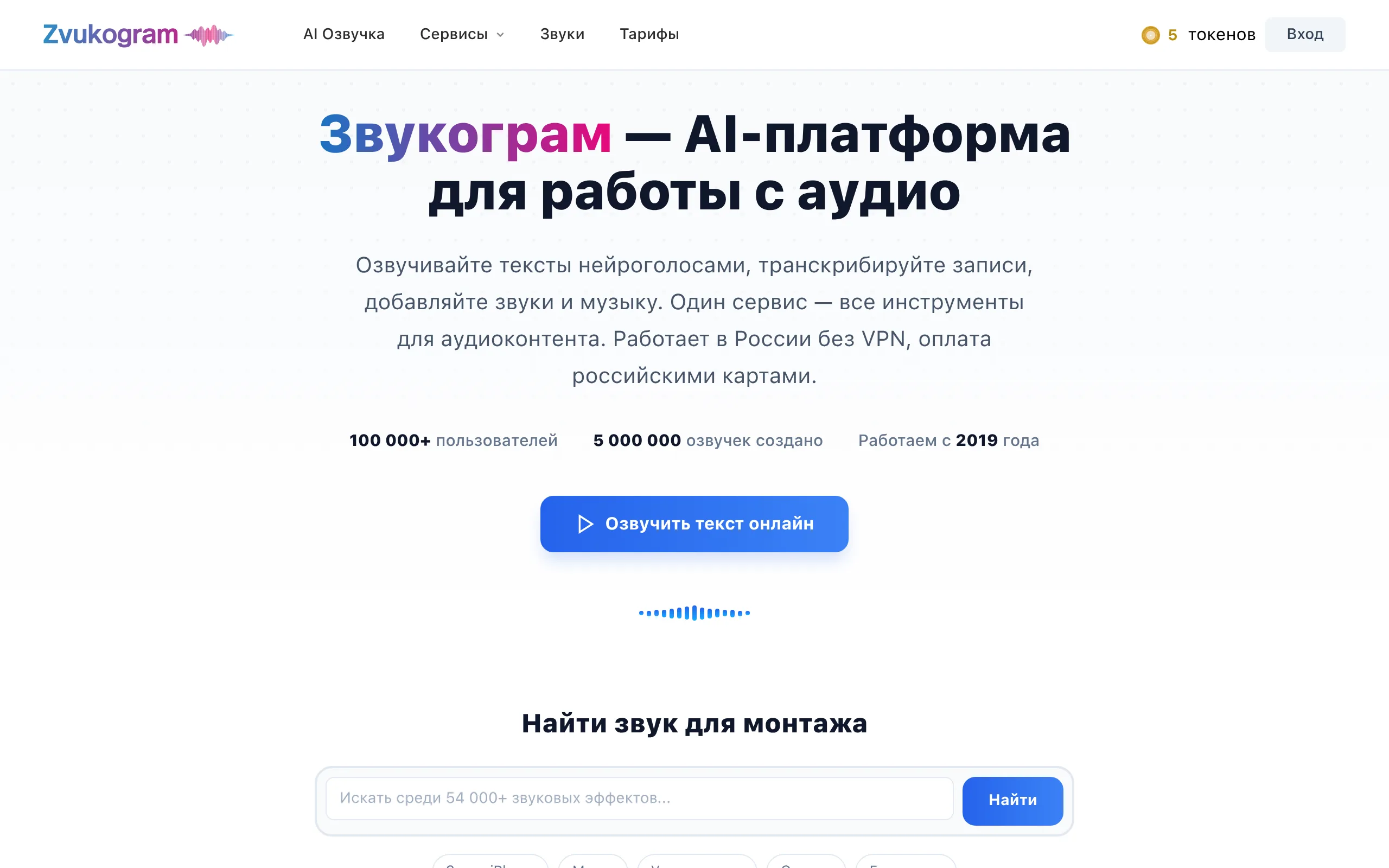
Zvukogram
- 3000+ voices in 150 languages, 140+ Russian voices
- Speech synthesis, transcription, sounds, AI music - all in one
- Works in Russia without VPN, payment with Russian cards and SBP
- API: integration with n8n, Make, Zapier, Telegram
- Up to 2 million characters per run
AI sound for the Russian market - without VPN and restrictions
Zvukogram is a Russian AI platform for working with sound, launched in 2019. It handles the entire workflow: text-to-speech synthesis, audio transcription, a library of sound effects, background music generation, and an API for developers-without the need to switch between services.
Key Features of Zvukogram
The platform combines tools that are spread across 4-5 separate services in other ecosystems.
- Speech Synthesis: 3000+ Voices, 150 Languages - 140+ Russian voices with different timbres (male, female, children, elderly), HD quality, speed, tone, and emotion adjustments. Demo previews of each voice are available without registration.
- Smart Token Caching - when editing text, only the altered sentence is re-voiced, others are taken from the cache. This greatly reduces the credit consumption for large project edits.
- Dialog Mode - each paragraph is assigned a separate voice, the finished dialogue is downloaded as a single file. Useful for podcasts, audiobooks, and educational courses with multiple characters.
- Subtitle SRT/VTT/SUB Voiceover - upload a subtitle file and get a synchronized audio track with timings. Suitable for localizing video content.
- Audio and Video Transcription - automatic speech recognition with export to Word. Works with interviews, lectures, and meeting recordings.
- Library: 54,000+ Sounds and 10,000+ AI Tracks - sound effects in MP3, WAV, OGG formats by categories (animals, transport, nature, games); royalty-free music filtered by genres.
- API with Integrations - REST API with documentation and code examples, support for n8n, Make, Zapier, Telegram, Salebot, ZennoPoster. Process up to 2 million characters per request.
Advantages and Disadvantages of Zvukogram
- Works in Russia without VPN
- Payment with Russian cards, SBP, YuMoney
- 140+ Russian voices with emotions
- Caching saves credits on editing
- Commercial license in the tariff
- API with ready-made code examples
- Prices hidden without registration
- No mobile app
- AI music is weaker than Suno AI
- Voice cloning is unavailable to regular users
Zvukogram Pricing
The platform offers three access levels-from basic to enterprise. Exact amounts are listed on zvukogram.com/pricing.
- Basic speech synthesis
- Limited character limit
- Standard voices
- HD voices
- Transcription
- Sound library
- Commercial license
- API access
- Batch processing
- n8n, Make, Zapier
- Extended limits
- Developer support
Zvukogram vs Competitors: Where the Real Advantage Lies
ElevenLabs offers more advanced voice cloning and higher subjective synthesis quality in English. However, the service is unavailable without a VPN in Russia and doesn't accept Russian cards-a critical barrier for the domestic market. Zvukogram wins in the number of Russian voices (140+ versus only a few on Cyrillic with ElevenLabs) and full accessibility.
Yandex SpeechKit is stronger for enterprise integrations with high loads, but requires technical expertise and coding even for simple tasks. Zvukogram offers a ready-to-use web interface: a teacher or marketer can voice a course without writing a single line of code. Suno AI surpasses Zvukogram in generating vocal music, but can't synthesize speech, transcribe, or work with sound effects-these are fundamentally different tools for different tasks.
Scenarios for Using Zvukogram
Who is Zvukogram Suitable For
- YouTubers and Podcasters - voiceover and dialogue formats without a studio
- Online Course Authors - mass lesson voicing and localization in 150 languages
- Marketers and Businesses - voiceovers for product cards and commercials with a commercial license
- Developers - REST API with support for Telegram, n8n, Make, Zapier, Salebot
- Video Editors - selection from 54,000+ sounds and 10,000+ AI tracks directly in the interface
How to Get Started with Zvukogram
-
1Test Voices Without Registration - visit zvukogram.com and use the demo preview: enter any text and listen to any of the 3000+ voices.
-
2Create an Account and Choose a Plan - payment via Russian card, SBP, or YuMoney. An official receipt is automatically emailed to you.
- 3Upload Text or Subtitle File - insert text directly, upload SRT/VTT for video voiceover, or audio file for transcription.
-
4Set Voice Parameters - choose timbre, adjust speed, pitch, and emotions. Assign different voices to different paragraphs for dialogues.
-
5Download the Result or Connect API - export audio in MP3/WAV or integrate speech synthesis into your application via REST API with ready documentation.
Frequently Asked Questions About Zvukogram
Does Zvukogram work in Russia without VPN?
Yes, the platform works in Russia without VPN and accepts payment with Russian cards, SBP, YuMoney, and through Robokassa-in contrast to ElevenLabs and most foreign counterparts.
How many Russian voices are available and can they be used commercially?
The platform offers 140+ Russian voices-male, female, children, elderly-with tone, speed, and emotion adjustments. A commercial license is included in paid plans without extra charge.
Does Zvukogram have a mobile app?
There is no mobile app-the platform only works via web interface and API. A browser is required for use on a smartphone.
How to connect Zvukogram API to a Telegram bot?
Documentation and code examples for REST API, and ready-made integration instructions with n8n, Make, Zapier, Salebot, and Telegram are published on the website-connection is available without deep technical knowledge.
Conclusion: When to Choose Zvukogram
Zvukogram is the optimal choice for the Russian-speaking market, where foreign services like ElevenLabs and Murf.ai are not directly accessible. The platform covers tasks from speech synthesis and transcription to sound selection and automation via API-without VPN, payable in rubles, and 140+ voices in Russian.